

What is self-editing? And why should you self-edit your fiction manuscript? Isn’t that doing the editor’s work for them?
Self-editing will save you money. Fact. Before sending you a quote, an editor will usually ask to see a few pages of your manuscript to gauge the work involved. If your document is as ‘clean’ as you can get it, the quote is likely to be a little lower than if it’s in a mess.
Or, you might be an author with limited funds and need to do everything yourself. While it’s highly advisable to dedicate a portion of your publishing budget to a professional edit or proofread, I understand that editing is expensive (even if valuable and economical over time).
This post will guide you through how to self-edit your work before you take it to the next stage of the publication process.
What is self-editing?
Self-editing occurs after you’ve finished your first significant draft. It does what it says on the tin: you do as much editing on your own as possible before handing your work over to a professional editor.
If you’re preparing your manuscript for submission to a literary agent or publisher and have chosen to skip hiring an editor, carefully self-editing your manuscript will increase your chances of it being received favourably.
This stage of editing can include aspects of developmental editing, line and copyediting, and formatting your Word document. All these are covered in this article.
Why should you self-edit your book?
Editors will usually ask for a short extract ahead of quoting, so they can gauge the level of intervention required and the potential number of suggested changes they will need to make. The ‘cleaner’ your manuscript, the lower their quote is likely to be, as they will spend less time working on it.
Put yourself in the shoes of two professional editors. Each has received a fiction manuscript extract from a potential author client.
The first editor opens the document to see inconsistent formatting, ‘walls’ of text without paragraph breaks, a huge number of basic spelling and grammatical errors, lengthy descriptions and monologues, switching points of view, and unnatural dialogue.
The second editor sees a neatly formatted document, a limited number of obvious spelling and grammar errors, little exposition or unnecessary description, and believable dialogue.
Which editor will have to spend more time on this editing project and therefore send a higher quote to the author? Which editor will be able to complete a deeper edit because the basics are dealt with already, leaving them free to dig into more advanced elements of writing and leading to a stronger manuscript?
You already know the answers.
Can self-editing replace professional editing?
A-ha! The million-dollar question. Of course I’m going to say no, because I’m a professional editor. Here’s why:
- A professional editor is trained and experienced. They are experts at revising text, which is very different to the skill of writing.
- As humans, we’re blind to our errors. Our brain fills in the gaps, so we read what our text should say, rather than what it actually says.
- We only know what we know. AKA the unknown unknowns. If you aren’t sure what a dangling modifier is, or a comma splice, talking heads, telling as opposed to showing, or exposition, you shouldn’t skip the stage of hiring an editor. Literary agents and publishers do know what these terms mean (and more) and won’t appreciate seeing them in a submitted manuscript. Even if you’re self-publishing, these issues will affect readers’ subconscious acceptance of your book, potentially leading to poor reviews and the book being put down.
- … and 23 more reasons to hire an editor!
How to self-edit
We’ve established that self-editing is an essential step. But how do you go about it?
Just as there are different stages of professional editing, there are also different levels of self-editing. These are developmental editing, line editing and copyediting.
If you’re planning to hire a developmental or structural editor as the next step, you probably don’t need to worry yet about polishing your writing at the sentence level. However, if your manuscript is in fairly good shape in this regard, it will help your developmental editor work through it more efficiently.
Let’s look at each stage in turn.
Developmental self-editing
A developmental editor looks at elements such as story structure and plot, character arcs, goals and conflict, and more. If you’ve studied writing craft, you will be familiar with the basics of these.
The more effort you’ve made to apply these aspects to your manuscript, the further a structural editor can help you hone your craft. A great place to learn more about all the elements listed below is KM Weiland’s Helping Writers Become Authors website, podcast and resources.
Structure and plot
Does your story have a distinct beginning, middle and end? Is there a strong midpoint? Does each scene have a turning point? Story Grid is a fantastic resource (website, podcast, book) for learning more about story structure.
Goals, motivation, conflict
Do your main characters (and all characters, for bonus points!) have a story goal for which the motivation is clear? Is this goal broken down into scene goals that gradually lead towards the overall goal? Is there conflict along the way (doesn’t have to be fisticuffs) that gets in the way of characters achieving their goals and increases the stakes (i.e. the cost if they don’t reach their goals)?
Point of view (POV)
Is the POV character clear? If you have multiple POV characters throughout your book, do these remain distinct, or is there head-hopping (jumping from one POV to another without warning) within scenes?
Pace
Does your story move along at a pace that fits the genre and intended readership? Are there places where it is too slow, or even too fast? Are there superfluous scenes that don’t feed into the plot, thereby slowing things down? Does your story have a ‘messy middle’, where nothing much happens to move the plot along? Try these pacing tips from Writers Digest to increase reader engagement.
Description
Is there too much or too little description of the setting or characters? Are your characters operating in a vacuum, leaving the reader unable to picture where they are or what they’re doing? Can your reader picture your characters, or are they faceless floating voices?
Characterisation and arcs
Is each of your characters distinct and memorable, with a unique voice and presence? Do they (especially the main characters) have their own arc – the personal journey they go on from the first page to the last?
Self-editing for line and copyediting
Once your story is structurally sound, it’s time to look at the line-by-line writing.
Line editing looks at elements such as flow, voice (of the author, narrator and characters), sentence structure, confusing phrasing, telling and showing, and more.
Copyediting examines the more technical aspects, such as grammar, spelling, punctuation, inconsistencies, consistency of tense and language, capitalisation, and more.
Many editors offer a combination service of line and copyediting to save you time and money.
Remember, a professional editor will check for all these issues and more. However, if you fix some yourself, your manuscript will be in far better shape, and your editor will likely spend a bit less time on your project, bringing down the quote.
When self-editing your book to prepare it for a professional editor or literary agent, check it for the following:
Spelling, grammar and punctuation errors
Carefully check your manuscript for any obvious mistakes relating to spelling, grammar and punctuation. A professional copyeditor will be skilled at this, thanks to years of experience and training, but if you spot the obvious ones, they can spot the more obscure ones and see the wood for the trees.
Inconsistent verb tense
Ensure your use of tense doesn’t swap and change. If you’ve selected the past tense for your book, don’t switch to the present mid-scene. Some books alternate between present and past when POVs change, which is fine if it serves the story, but check carefully for subconscious instances of tense changes.
Comma splices
When a sentence is made up of two independent clauses separated by a comma, this is a comma splice. For example: The rain was streaming down the windows, they weren’t going anywhere today. This is easily fixed by replacing the comma with a semi-colon, creating two separate sentences, or rewording, depending on context.
Dangling modifiers
A dangling modifier occurs when the modifying word or phrase is either attached to the wrong subject or when the subject is missing altogether.
For example, consider this sentence: Having gone to the shops, they were already closed by the time he got there. The shops are the subject of the sentence (they were already closed), but they aren’t the correct subject of the first clause having gone to the shops. This could be corrected to read as follows: By the time he got to the shops, they were already closed. This makes it clear that ‘he’ is the subject who went to the shops.
Error of simultaneous action
This is the issue of two actions being described as if they’re happening at the same time, but they can’t possibly be. For example: Coming down the steps, she opened the door.
Dialogue
- Unnatural and inflated dialogue: Ensure your characters’ words sound natural. Avoid stilted dialogue, repetition and filler words (hello, goodbye, yes, no, ah, um), unless essential for characterisation or plot.
- Lack of contractions in dialogue: Use contractions (unless it makes sense for the character not to use them), as that is how people naturally speak, e.g. I’ve just bought something you’re going to like, rather than I have just bought something you are going to like.
- Incorrect or fancy dialogue tags: Dialogue tags are he said, she replied, asked John etc (name or pronoun and the verb ‘to say’ or a synonym of it). Certain verbs such as ‘smiled’ are not synonyms for ‘said’, so the dialogue needs to be punctuated accordingly (full stop/period, not comma – e.g. ‘I know.’ Maddi smiled., as opposed to the incorrect ‘I know,’ Maddi smiled.) Also, don’t be scared of using said. It’s better than most dialogue tags as it’s invisible. (I know this isn’t what we were taught at school!) Synonyms of said pull the reader out of the story.
- Poor punctuation of dialogue: There are conventions around the punctuation of dialogue, such as where commas, full stops/periods go, whether to use single or double speech marks and how to punctuate interrupted dialogue. Familiarise yourself with these and apply them to your manuscript.
- Poor layout of dialogue: There should be a new line for each speaker, with corresponding action beats (short descriptions of what a character is doing before, after or while speaking) on the same line.
Passive voice
The active voice (e.g. Ann pulled the emergency cord) is more engaging for the reader than the passive voice (e.g. The emergency cord was pulled by Ann). Occasionally, it will make more sense to use the passive voice, but the active voice tends to be the stronger option.
Long sentences
Pay attention to the length of sentences. Shorten any that are too long, either by chopping them into two or more sentences, or reducing superfluous words. Vary the style and length of your sentences, according to the pace you’re setting and what’s happening in your story.
Consecutive sentences and paragraphs with the same construction
Check for sentences and paragraphs starting with the same word or phrase as the previous one, or mirroring the format of those around it. Mix up the construction of your sentences to complement what’s happening in your story, help your writing to flow and keep the reader turning those pages.
Clichés
Watch out for clichés in your manuscript. These will disengage the reader and may be seen by an agent or publisher as a lack of experience in your genre.
Unnecessary words
Read my blog post on reducing your word count for more details.
- Filter words: These are a telltale sign you’re telling rather than showing. They are usually related to the five senses, plus thinking. They put a filter, or barrier, between a character’s experience and your reader. Examples are felt, saw, thought and tasted. Instead of telling the reader what your character is feeling, seeing or touching, show it. For example, instead of writing She saw the train pull into the station, write The train pulled into the station.
- Filler words: These are common words that can be removed without changing the meaning of a sentence. Examples are that, very, quite and began. They’re usually superfluous, inflating the word count for no good reason and slowing the pace.
- Repetition: Saying the same thing twice inflates your word count unnecessarily, slows the pace and disengages the reader.
More telling than showing
‘Show, don’t tell’ is advice you will often hear, and for good reason. Showing a character’s emotion or thoughts (Ann’s heart began to race), rather than telling the reader what the character is feeling (Ann felt scared), engages the reader and draws them into the character’s head. Occasionally, telling can be a better choice than showing, but if in doubt, show!
Too much stage direction
There’s no need to describe every single action of your characters. The pace will suffer if the character is shown to be opening the door, closing it, walking to their chair, pulling out their chair, sitting down and pulling in their chair. Describe only those actions essential to the plot and characterisation.
Overuse of adverbs
Adverbs can (although not always) weaken writing. There is often a stronger verb you can use instead. For example, He dashed down the path instead of He ran quickly down the path.
Preparing your Word doc for a professional line or copyedit
Tidy up extra spaces
A professional editor will run several checks of your whole manuscript before starting the line-by-line work. If you do at least some of these yourself, you’ll save your editor time, thereby potentially bringing down their quote.
However, if you’re not feeling confident about doing these yourself, by all means leave it to your editor!
Here are some rogue spaces you can search for and replace in Microsoft Word:
- Double spaces: Enter two spaces in the ‘Find’ box and one space in the ‘Replace’ box, then hit the scary ‘Replace All’ button.
- Extra spaces at the start of a paragraph: Enter the text between the following square brackets in the ‘Find’ box [^p ] – i.e. ^p followed by a space – then ^p without a space in the ‘Replace’ box. Hit ‘Replace All’.
- Extra spaces at the end of a paragraph: Enter the text between the following square brackets in the ‘Find’ box [ ^p] – i.e. a space followed by ^p – then ^p without a space in the ‘Replace’ box. Hit ‘Replace All’.
- Empty paragraphs: You may have used extra paragraphs (by hitting the Return key a couple of times) to increase the space below chapter headings and in other places. This may cause issues at the typesetting/formatting stage of the publishing process. It’s better to manage vertical space by using Word styles (right-click on ‘Modify’ for the style, then select ‘Paragraph’ from the dropdown menu bottom left). To delete empty paragraphs throughout your document, enter ^p^p in the ‘Find’ box and ^p in the ‘Replace’ box. Hit ‘Replace All’.
Apply Word styles
This is a step that few writers carry out before sending their document to an editor. It may be considered an advanced step. However, your editor will be your BFF if you do this!
Applying styles to different elements throughout your manuscript (e.g. chapter headings, unindented (full out) paragraphs at the start of sections), will make the formatting stage far easier and allows you to make document-wide style changes in seconds.
>> Read my blog post with step-by-step instructions for working with Word styles
Include changes from sample edit
If you’ve hired an editor who previously carried out a sample edit for you, ensure you incluude all their changes you agree with and address their comments prior to sending them the full manuscript to work on. Otherwise, the editor will have to duplicate their work.
Remove any tracked changes and comments
If you’ve used tracked changes and added comments during the self-editing process, remove all these before sending the document to your editor (unless there are comments intended for the editor).
>> Read my blog post (with videos) about working with Word’s tracked changes
What to do once you’ve self-edited all you can
When you’re sure that you’ve worked as much as possible on your manuscript, it’s time to hire a professional editor to iron out issues and tidy up your work. It’s a collaborative process (or should be!), and you remain fully in control of your manuscript.
If you’re a first-time author (or even if you’re not!), you may feel nervous about working with an editor. Please try not to be! We’re a friendly, professional bunch, and we work with you to ensure your book is the best it can be.
>> Read my blog post about working with an editor, including how to choose one, and what happens before, during and after the edit.
Self-editing resources
If you’d like to go more in-depth into the self-editing process, here are some great resources.
Jeanette Smith offers self-editing resources and services, including a free checklist, evaluation and cheat sheet, and a Compass Call with bespoke advice to point you in the right direction.
Katie Chambers offers self-editing booklets and blog posts for fiction and nonfiction, including articles on using critique partners and reducing wordiness.
Tom Bromley on the Reedsy blog gives a lot more advice on how to self-edit your writing. Ali Luke, guest writer on KM Weiland’s blog, also has lots of advice on how to get better at self-editing your fiction.
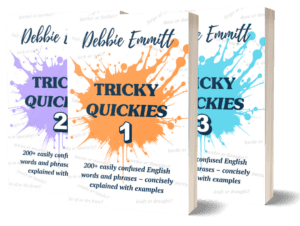
Last but not least, my Tricky Quickies books will help you avoid making mistakes with tricky words!






Sally M. Chetwynd
This is a great post, Debbie! I am preparing a two-hour workshop for a local writing facility at the end of January, and these tips and pointers provide the specifics I want to bring up.
I’m wondering, however, about a possible mistake regarding showing vs. telling. Under “Unnecessary Words” is this statement: “Filter words: These are a telltale sign you’re showing rather than telling.” I think you mean the opposite, that filter words are a telltale sign that you’re telling rather than showing. Please correct me if I am wrong – it is not difficult, however, for things like this to get past us in the passion of writing our articles.
Thanks again not only for your article, but also for the great resources you point to, many of which I subscribe to.
Debbie Emmitt
Hi Sally, thanks for pointing this out! I’ve corrected it now. Even we editors need editors! I’m glad you found the article a useful source for your workshop. Feel free to point your attendees to my website, as there are lots of posts written especially for authors. I hope it goes well!